
Prototype's interface looks like real materials: leather, iron and oak. This page explains what you see on your screen.
Minimap and vitals
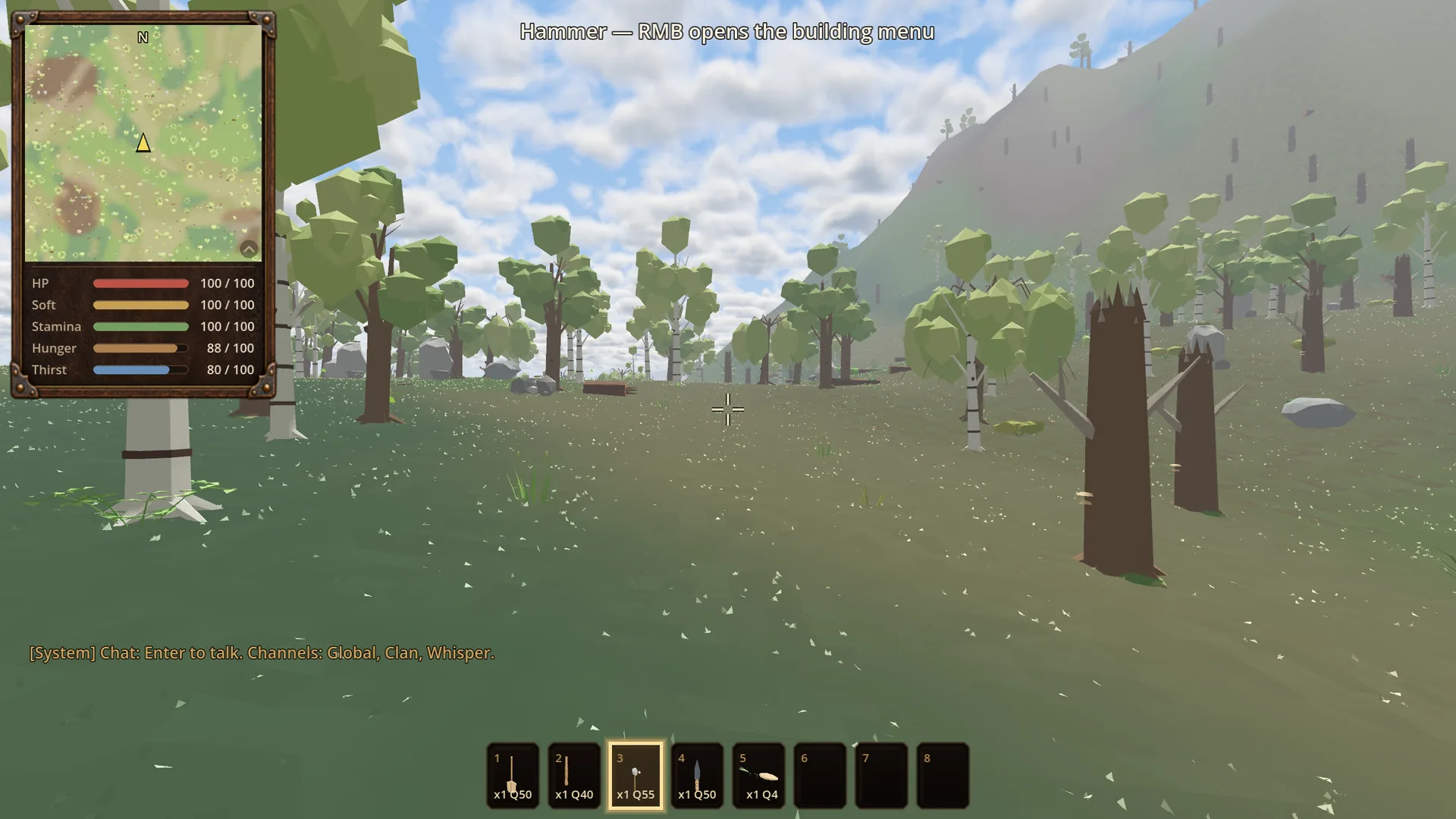
The minimap sits in a wooden frame at the top left. Expand it and you see your five bars: HP, Soft, Stamina, Hunger and Thirst. Press M to open the full-screen map, with zoom and panning. When you cross a region border, the game announces "Entering …".
Hotbar
Along the bottom are eight slots. Select them with 1–8. Tools show their wear. Inspecting an item shows its current and maximum durability.
Inventory: the pouch
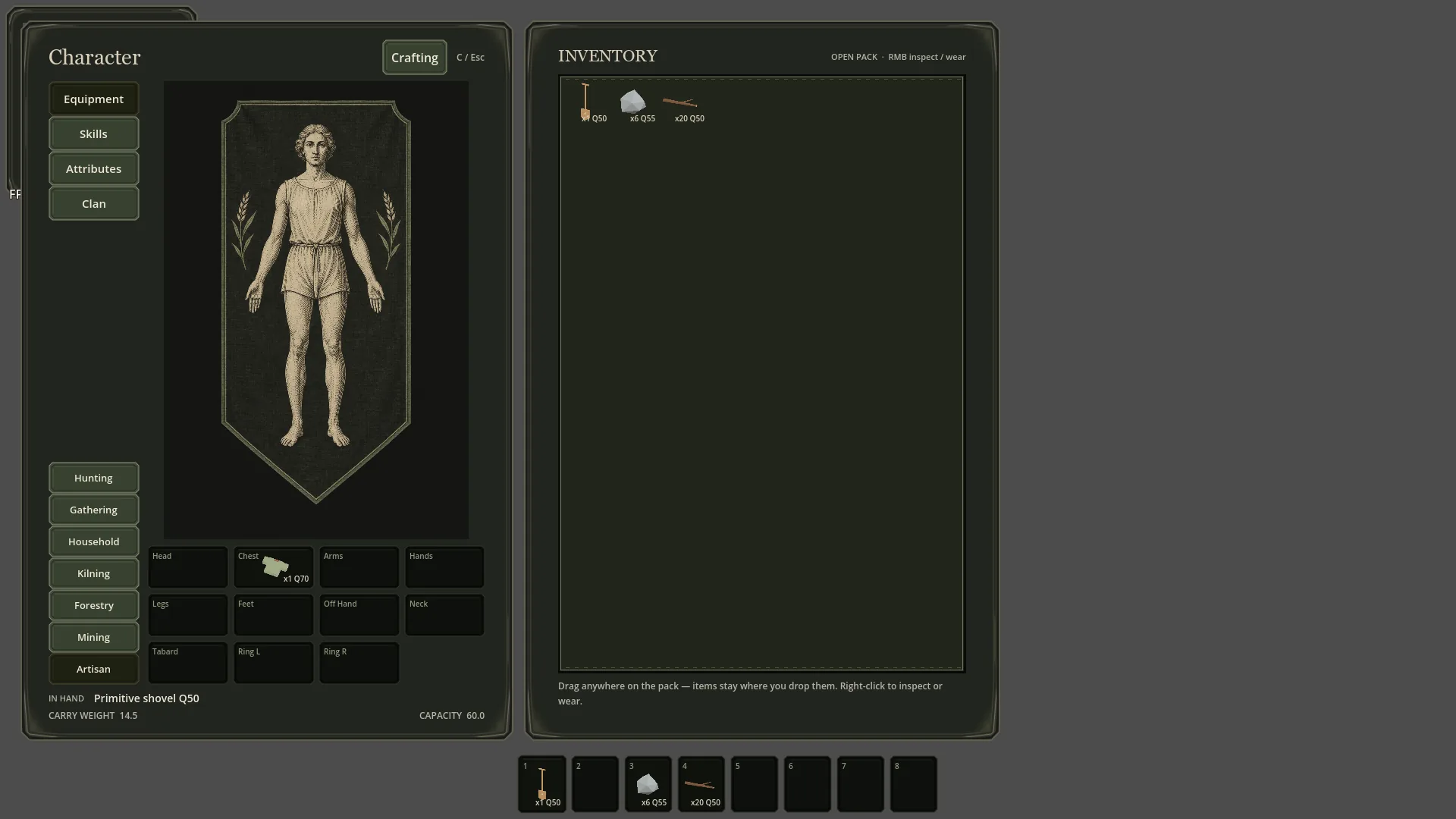
Your inventory is a leather pouch without a grid. You drag items wherever you like, stack and split them, and drag them onto your equipment. At the top you can see your weight and your carry capacity. Items from another region ("Region: …") do not stack with ordinary ones.
Character
Press C to open your character, with four tabs: Equipment, Skills, Attributes and Clan. Your equipment has slots for head, chest, arms, hands, legs, feet, off-hand, ring, neck and tabard.
Buffs and debuffs
Effects appear as icons in the HUD. Green and gold frames are buffs, red ones are debuffs. You will find them all in Buffs & debuffs.